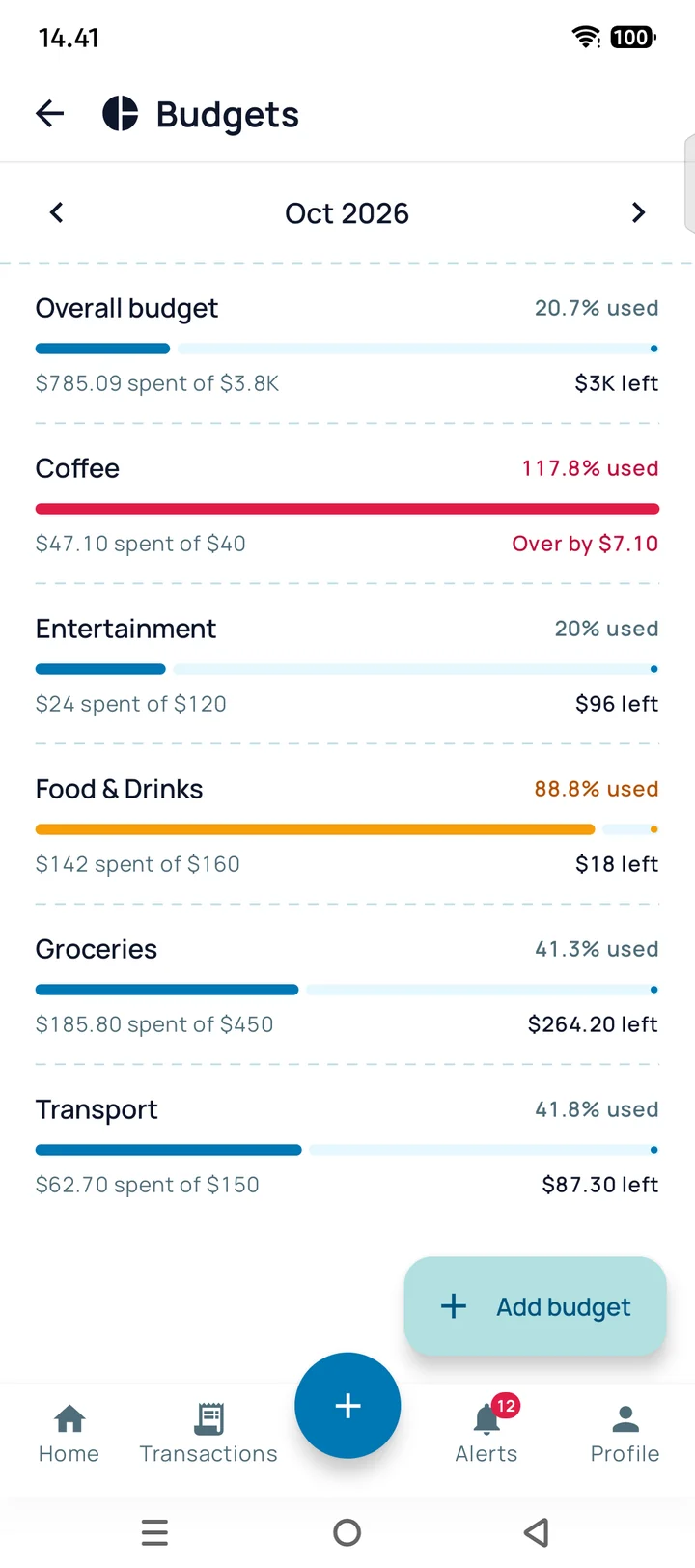
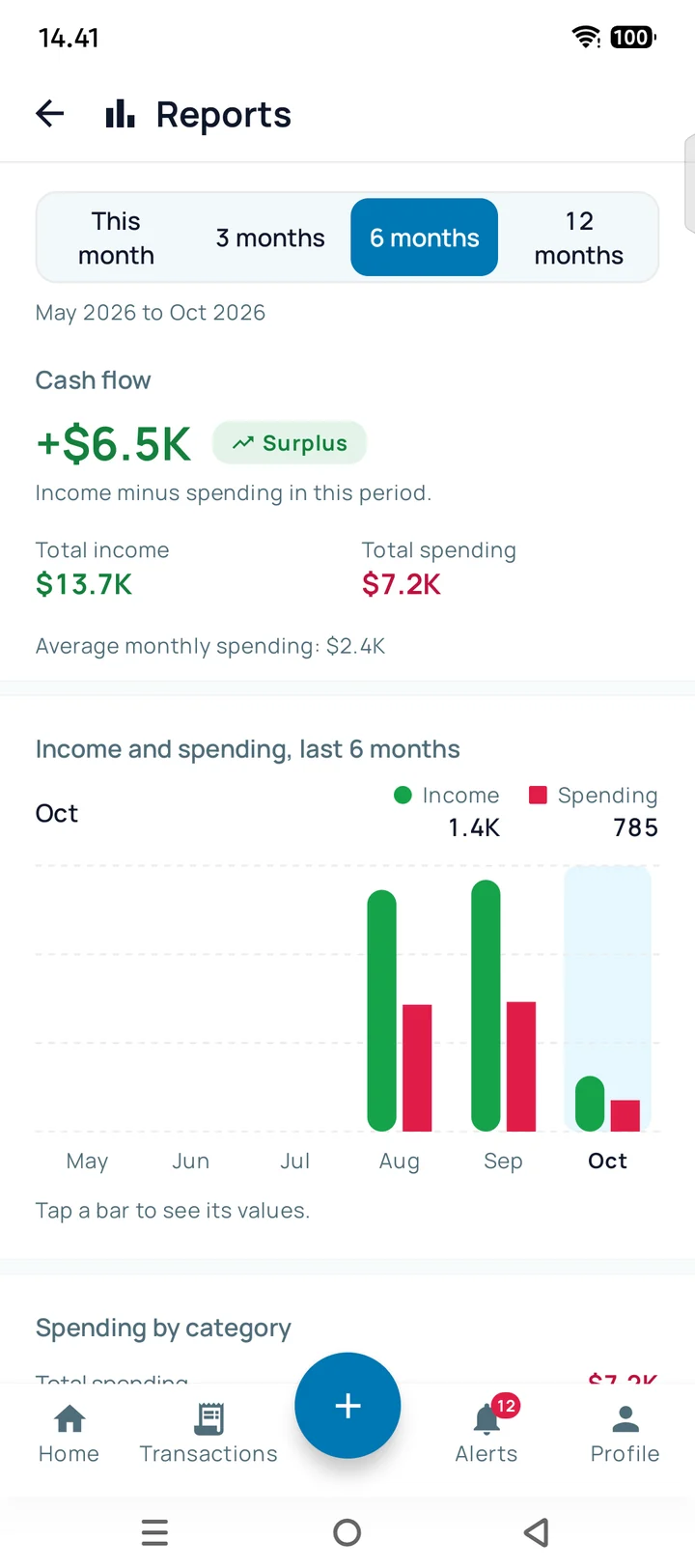
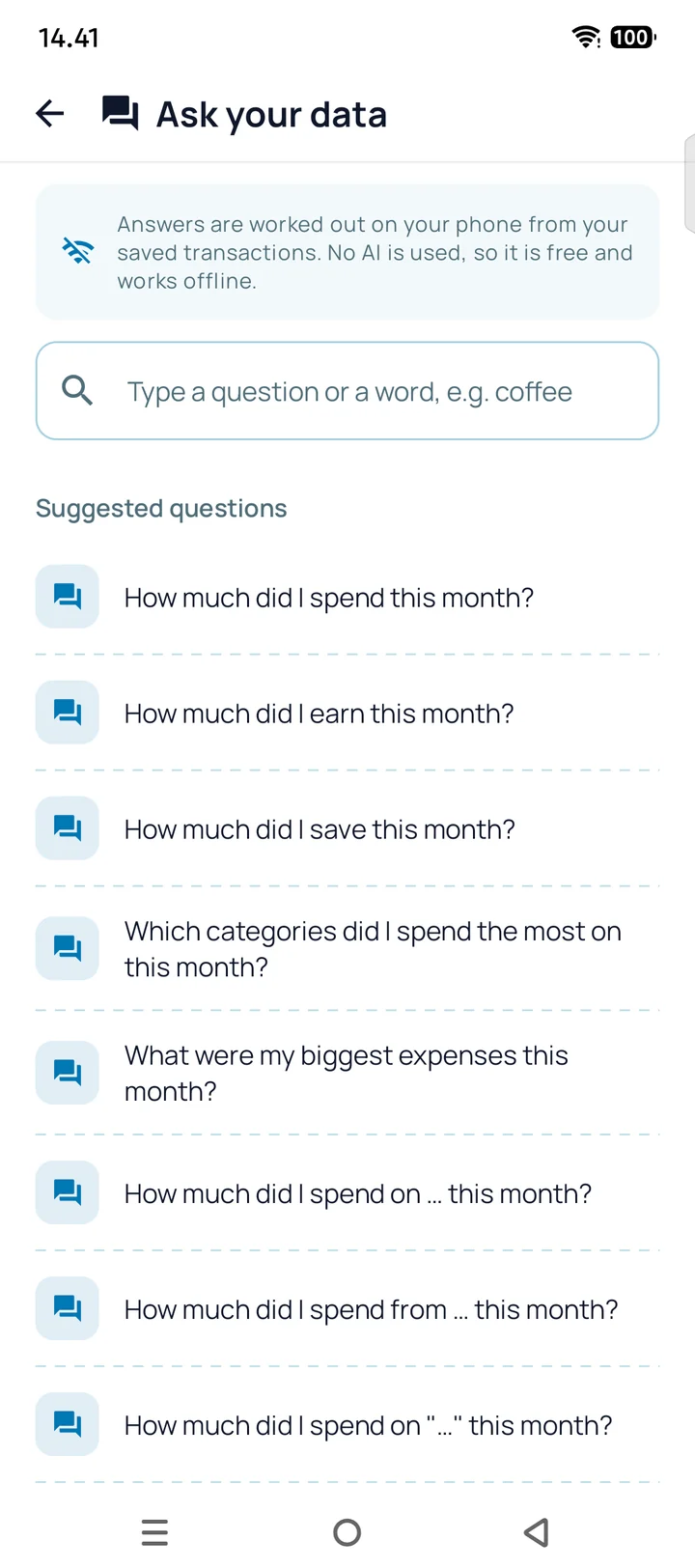
Record expenses from a photo, a sentence, a bank statement or the notifications your banking apps already show. Add money in other currencies. Keep working without a connection.
Screenshots from the app, filled with sample data.
Photograph a receipt//Type a sentence//Import a bank statement//Let your banking apps report in//Photograph a receipt//Type a sentence//Import a bank statement//Let your banking apps report in//Photograph a receipt//Type a sentence//Import a bank statement//Let your banking apps report in//Photograph a receipt//Type a sentence//Import a bank statement//Let your banking apps report in//
coffee 4.50 by card yesterday
Try it here
Write it the wayyou would say it.
Type one sentence. The receipt prints again every time you type.
Examples to try
RECEIPT FROM A SENTENCESAMPLE
Coffee
CategoryFood & drink
Date2026-11-16
Paid withCard
OUT-$4.50
A simple demo running in your browser. The app reads sentences far more thoroughly.
4
Four ways to get a payment into the app
Pick whichever is quickest at the moment. Everything ends up in the same list, with the same categories and the same reports.
Photograph a receipt
You give it
One photo
It fills in
Shop, date, total and category. You check the result before it is saved.
CORNER MARKET
Rice 5kg12.90
Olive oil 1L8.50
Eggs 124.10
TOTAL25.50
Corner Market
CategoryGroceries
TOTAL-$25.50
3 items read
Type a sentence
You give it
Plain text in any of the 9 app languages, such as "coffee 4.50 yesterday".
It fills in
One or more draft transactions to review.
coffee 4.50 by card yesterday
Coffee
CategoryFood & drink
Paid withCard
OUT-$4.50
Import a bank statement
You give it
A CSV file or pasted text.
It fills in
A preview of every row, duplicates flagged, then saved when you approve.
statement_oct.csv · 42 rows
10/29 CARD SUNSET COFFEE-15.00
10/28 PAYROLL OCTOBER+3,200.00
10/27 ELECTRIC BILL-64.00
10/26 CORNER MARKET-25.50
4 rows picked, categories suggested
Let your banking apps report in Pro
You give it
The notifications your bank and e-wallet apps already show.
It fills in
Transactions recorded automatically. More than 100 apps are on the supported list. Requires the Pro plan.
Bank · just nowCard payment of $12.00 approved
E-wallet · 2 min agoYou paid $4.20 to Corner Bakery
Bank · 1 h agoYour one-time code is ******Ignored
Bank · 3 h agoTransfer received: $1,250.00
Recorded
Card payment-$12.00
Corner Bakery-$4.20
Transfer received+$1,250.00
Nothing is saved from a photo or a sentence until you confirm it. Automatic entries can be edited or deleted like any other.
STATEMENT_OCT.CSV
10/29 CARD SUNSET COFFEE-15.00
10/28 PAYROLL OCTOBER+3,200.00
10/27 ELECTRIC BILL-64.00
10/26 CORNER MARKET-25.50
Iced latte 2x-9.00
Toast 1x-4.50
Water 1x-1.50
01Budgets
04Savings goals
06Reports and export
What you can do with your records
01
Budgets
Set a limit per category for a month and see how much of it is used, with a warning as you approach the limit.
02
Bills
Reminders before a bill is due, once, weekly, monthly or yearly. Recurring payments found in your history can be turned into bills.
03
Debts
Track money you owe and money owed to you, with partial payments and reminders for due dates.
04
Savings goals
Set a target and a deadline, record deposits and withdrawals, and see a projected finish date.
05
Shared wallets
A separate ledger for a household or a couple. Invite people with a code and choose who can add entries and who can only view.
06
Reports and export
Month-by-month income and expense charts. Export any period as a PDF or a CSV file.
Choose a currency when you add a transaction. The app converts it to your own currency using the exchange rate for the date of that transaction, and keeps the original amount next to it.
Rates come from Frankfurter, an open source service that publishes reference rates from central banks and other official sources. They are mid-market reference rates for information. Your bank or card issuer may use a different rate.
Add, edit and delete transactions, categories and money sources
Check totals, charts and budgets
Change bills, debts, savings goals and recurring entries
Ask your data questions, answered on the phone
Your changes go to the server by themselves when you are back online.
Needs a connection
Receipt scanning
Sentence parsing
Statement import
AI insights
Ask your data
How much did I spend on food last month?
SAMPLEYou spent $90.00 on food and drink last month, across 6 transactions.
How much did I earn this month?
SAMPLEYou earned $3,200.00 this month.
How much did I save this month?
SAMPLEYou saved $704.00 this month, 22% of what came in.
Which category did I spend the most on this month?
SAMPLEFood & drink is your biggest category this month: $90.00.
Type a question about your own records. The answer is worked out on your phone without AI, so it costs nothing and works offline.
What the app does with your data
The short version. The full privacy policy is the reference.
01
No bank login
The app never asks for your bank username or password. Recording from banking apps works from the notifications they show on your phone.
02
AI reads what you send it
Receipt photos, typed sentences and notification text from listed apps are sent to the server and to an AI provider so they can be read. Text that looks like a one-time code, PIN or password is not sent to the AI.
03
Lock the app
Protect the app with a PIN or biometric unlock.
04
Delete when you want
You can delete your account from the app, and there are web pages to request deletion of your account or of your data only.
Paid plans are bought through Google Play once the app is released there. The store shows the exact price at checkout, and it can differ from the amounts here.
Questions people ask before installing
Do I need an internet connection?
Mostly no. You can add and edit transactions and see totals offline, and the app syncs when you reconnect. Scanning receipts, parsing sentences, importing statements and AI insights need a connection.
Which banking and wallet apps can record automatically?
More than 100 apps from many countries are on the supported list, and you can add other apps on your phone to your own list. It needs the Pro plan and your permission to read notifications.
Does the app read all my notifications?
It only forwards notifications from the apps on your list, and only after you grant notification access. You can switch any app off on the Auto-Record screen.
Can I use it in my own currency?
Yes. Choose any currency from the official list in your profile, and add payments in other currencies when you need to. Changing your main currency later only relabels amounts, it does not convert past transactions.
How do I delete my data?
Delete your account from the app, or use the web pages linked in the footer to request deletion of your account or of your data only.